Open source C#WPF control library- MaterialDesignInXAML

Open source C#WPF control library- MaterialDesignInXAML

Today we introduce an open source C#WPF open source control library. It is very beautiful, with the focus on open source

最后更新 12/3/2020 1:21 PM
沙漠尽头的狼
预计阅读 5 分钟
分类
WPF
专题
WPF control library WPF Open Source Project C#Open Source Project
标签
.NET C# WPF control library WPF control library

Today we introduce an open source C#WPF open source control library. It is very beautiful, with the focus on open source

WPF has great advantages in desktop development. In addition to Microsoft's own controls, there are also many third-party control libraries, such as fee-based Dev Express For WPF, Telerik For WPF, etc., and open source and free control libraries on GitHub such as MaterialDesignInXAML.

This article mainly introduces the third-party C#WPF open source control library: MaterialDesignInXAML. How excellent and beautiful the library is, you can click on the link to download and view it, or you can see some of the more distinctive and practical screenshots I have taken below.

    • Navigation directory: **
  1. home
  2. Support theme style switching
  3. button
  4. Enter verification box
  5. label
  6. card
  7. icon
  8. group box
  9. progress bar
  10. dialog box
  11. drawer
  12. simple tips

1. Home Page

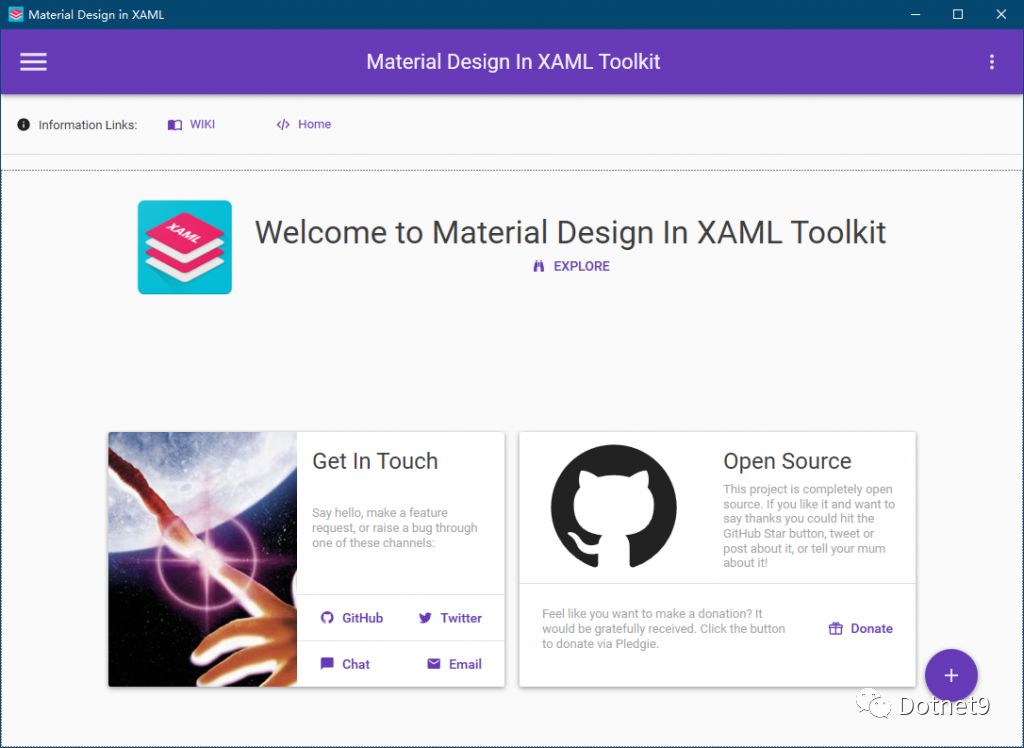
Don't you feel great from the card layout on the front page? When there are relevant project interface requirements, using this method to display data is intuitive.

2. Support theme style switching

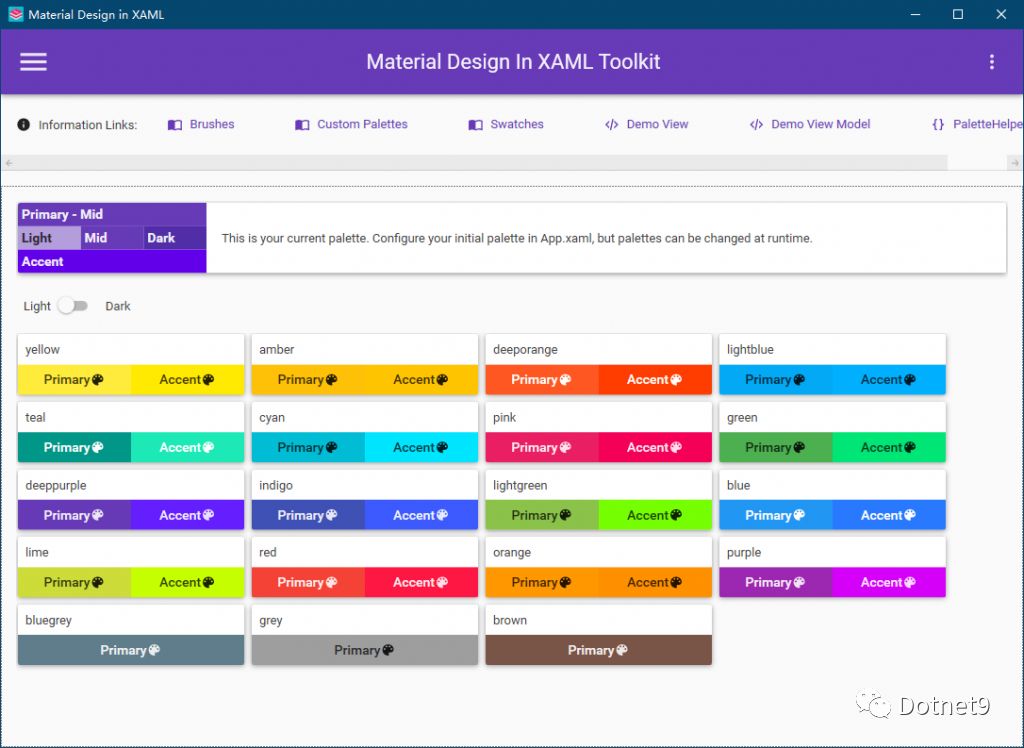
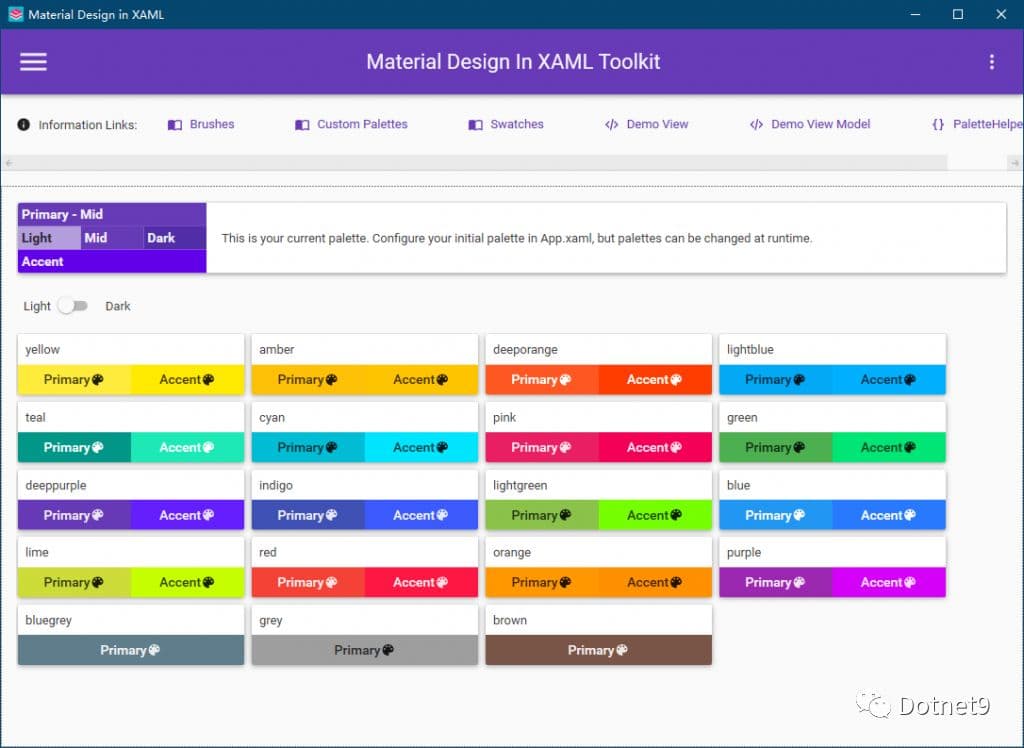
The control library is equipped with dozens of color styles to meet most color matching requirements.

3. Button

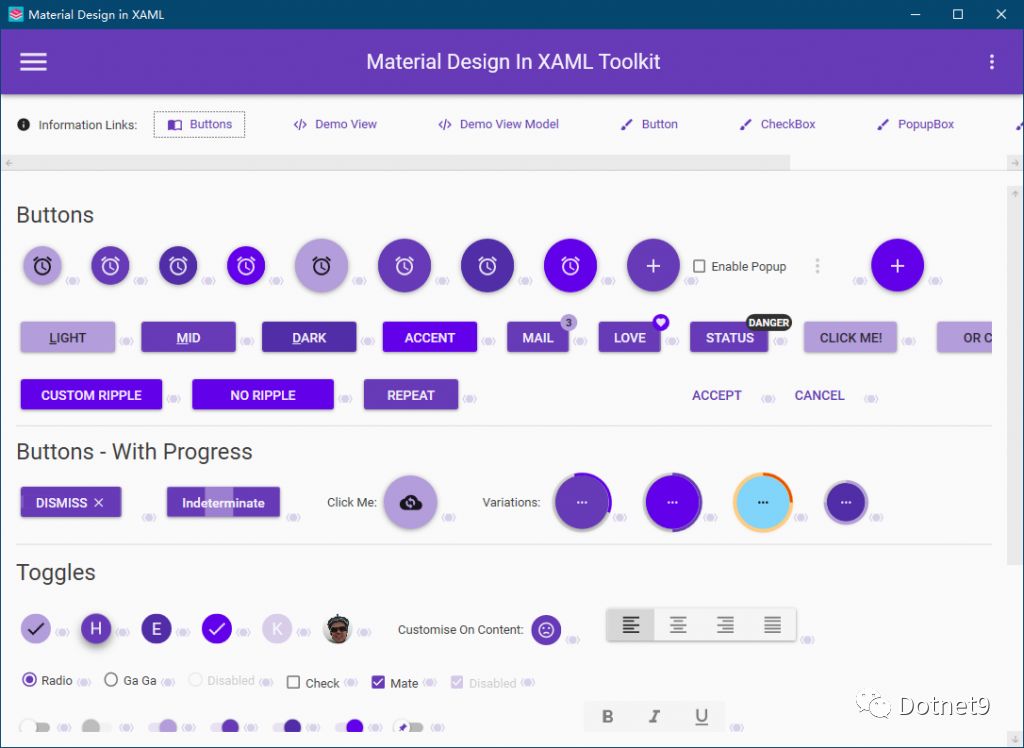
In interface development, interactive buttons are used more. Look at the figure below, round buttons, icon buttons, button progress, button text prompts, etc., common effects on the Web can also be easily used in WPF.

4. Enter the verification box

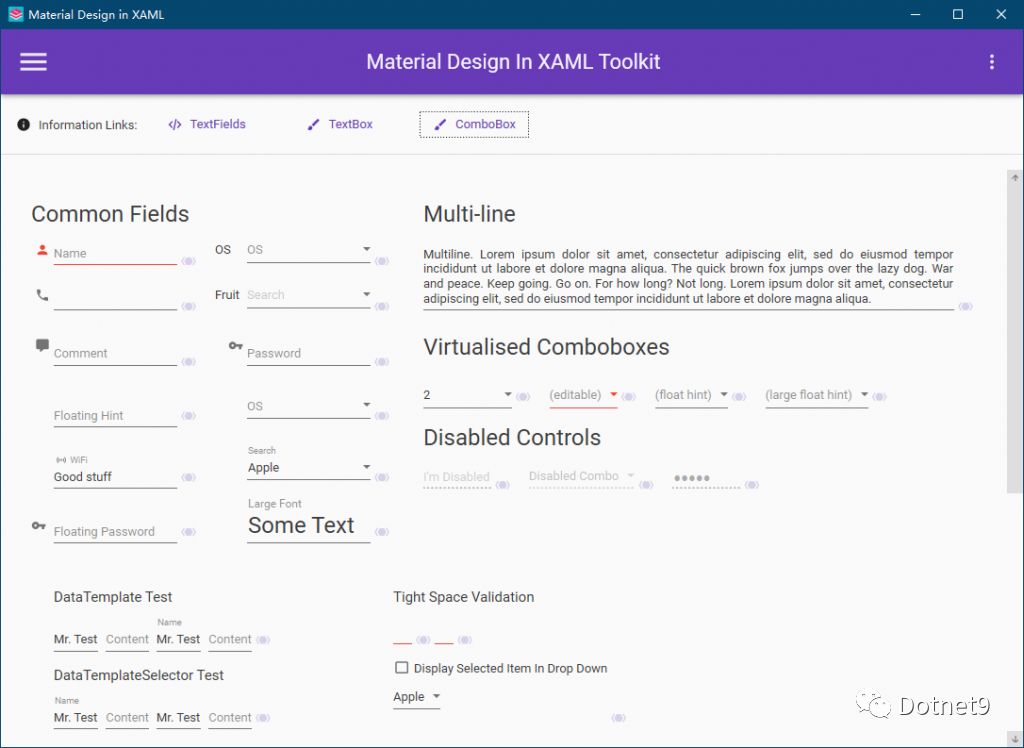
For form verification, the general practice is to write business logic verification code in ViewModel, or write verification expressions in XAML. This control library implements many validators, which can be used directly, the code is simple to use, and the interface prompts are very friendly, similar to mobile phone input and error prompts.

5. Label

Control English Chips can be used for tags. When the list displays a lot of data, multiple tags can be displayed for click filtering.

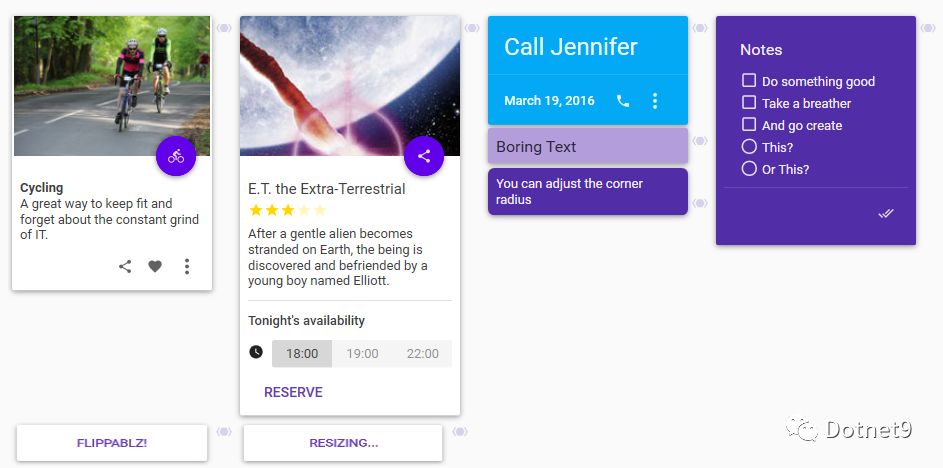
6. Card

Cards, card-based layout, displaying data in lists and tables is sometimes very boring. Using cards will give people a refreshing feeling. It is very refreshing. The display data is also clear at a glance. It can be displayed in the form of pictures + text, which is very friendly.

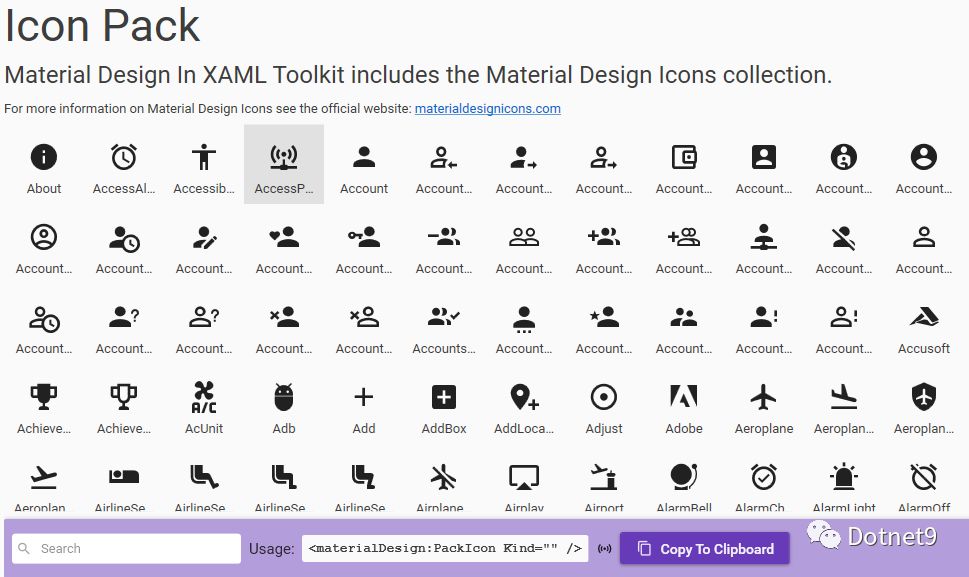
7. Icon

Icon Pack, there are hundreds of vector icons to choose from, which greatly facilitates development and can be used for menu icons, button icons, etc.

8. Group Box

Group Boxes, combo boxes, similar to cards, combo box headers are convenient to customize, you can add pictures

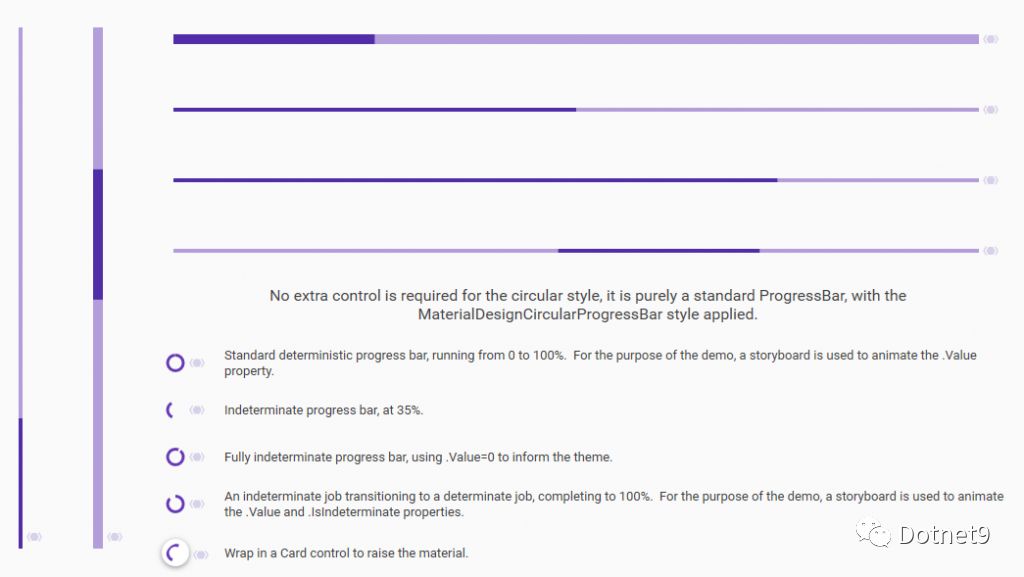
9. Progress bar

There are various progress bars, are you still troubled by adjusting various parts of the progress bar? Several styles have been written in this control library, which almost meets the general needs for use. If you are not satisfied, it is also very convenient to modify based on the above.

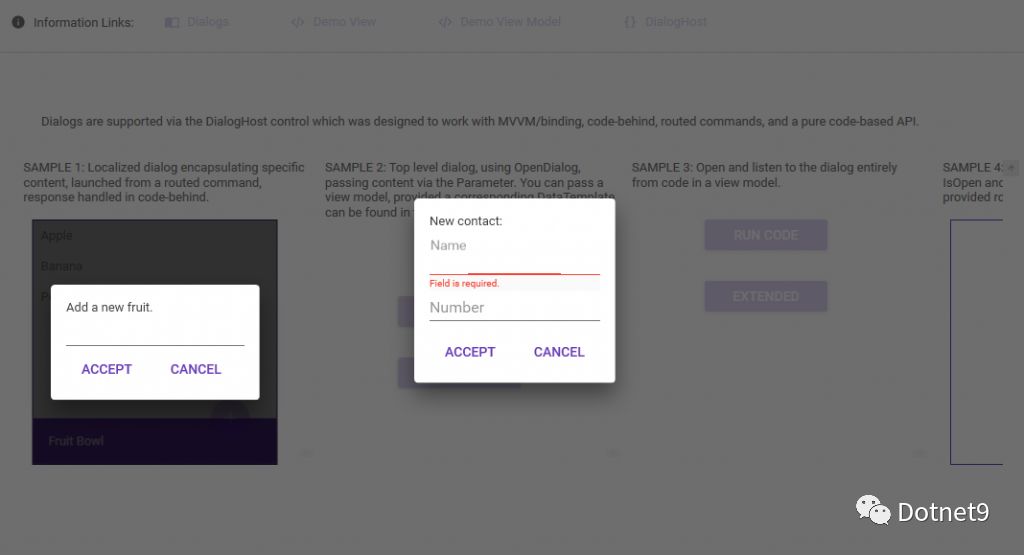
10. Dialog Box

Masking dialog boxes, isn't it cool? Support the entire form mask, and also support part of the form user control dialog box (I think this is practical, do you have a corresponding application scenario?)

11. Drawers

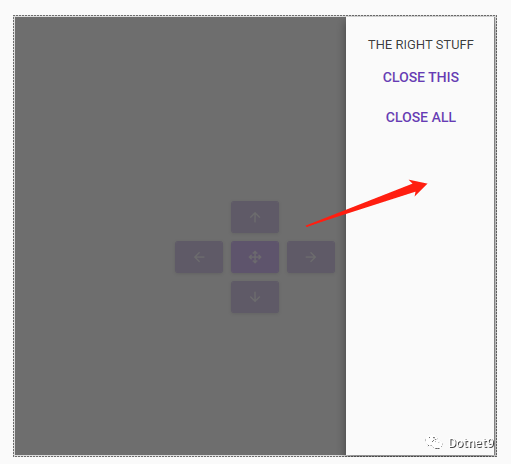
Drawer, a drawer-type control, supports opening drawers in four directions: east, south, west and north.

12. Simple Tips

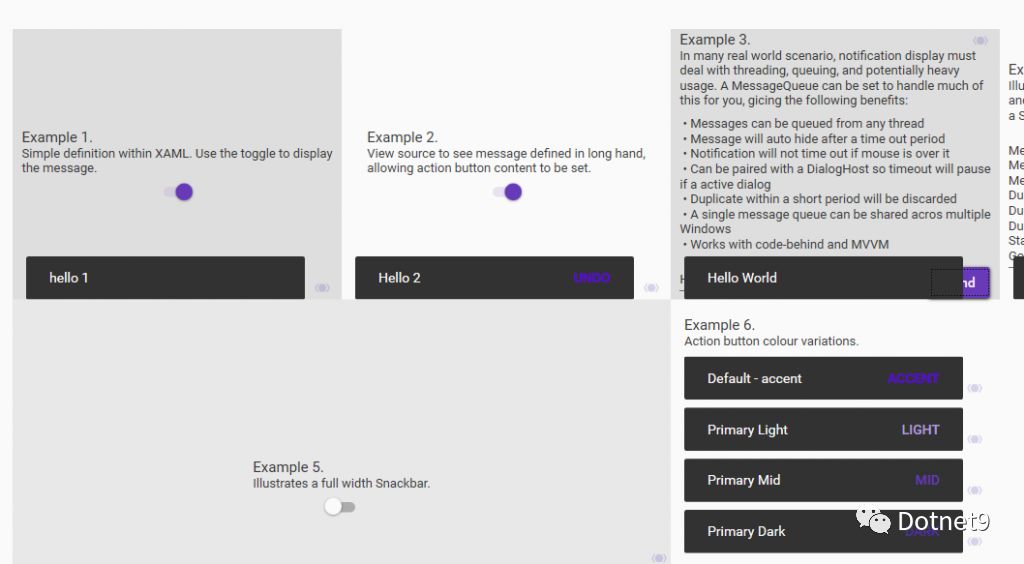
The last thing that is more useful is prompt messages. This method does not need to pop up boxes (so that users can click to close it, and it is not very friendly to add a timer to automatically close it). It can be used for prompt messages. You can just take a look.

The words written at the end of the article

There are many open source control libraries in WPF. You can search on GitHub. This control library should be the best in open source. The webmaster personally thinks that you can also leave a message below and discuss and learn from each other. The webmaster also uses this control library frequently at work, which really makes your work very convenient.

Official introduction website: http://www.example.com.

Keep Exploring

延伸阅读

更多文章
同分类 / 同标签 1/26/2025

WPF internationalizes with custom XML files

This article describes in detail the methods of using custom XML files to achieve internationalization in WPF programs, including installing the necessary NuGet package, dynamically obtaining language lists, dynamically switching languages, using translation strings in code and xaml interfaces, etc. It also provides source code links to help developers easily internationalize WPF applications.

继续阅读