Use Inno Setup to automatically build installation packages at VS compile time

Use Inno Setup to automatically build installation packages at VS compile time

Many students in the C/S development field may more or less encounter scenarios where they need to make installation packages, and the packaging tools are also diverse.

最后更新 7/20/2023 11:35 PM
傲慢与偏见
预计阅读 7 分钟
分类
.NET
标签
.NET C# Visual Studio

This article was submitted by netizens.. NET is free, open source, and cross-platform.

Author: Pride and Prejudice

Original title: Using Inno Setup to automatically build installation packages during VS compilation

Original link: www.cnblogs.com/chonglu/p/17566940.html

Netizens are welcome to submit technical articles with unlimited subject matter and no contribution fee...

1. abstract

Many students in the C/S development field may more or less encounter scenarios where they need to make an installation package. There are also a variety of packaging tools, such as NSIS, InstallShield, Wix Toolset, ClickOnce, etc. Here, Inno Setup is used as an example. A simple demonstration of how to build an installation package and how to automatically build this installation package when compiling a program in Visual Studio.

2. operation demonstration

Tips: If you want to automate building, it is recommended to start at the end of the article. The beginning is just a simple demonstration of how to build manually

2.1. Go to the official website to download the Inno Setup packaging tool

点击 Inno Setup Downloads 下载:

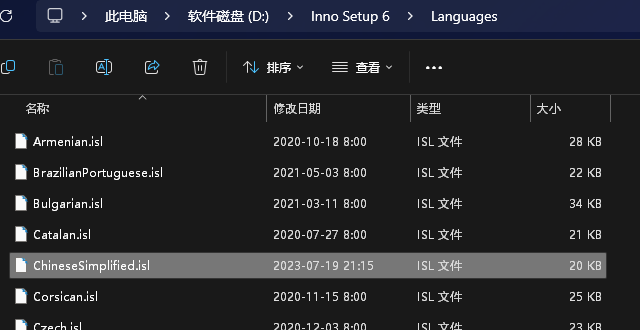
如果有中文需求,则需下载中文包,下载地址:Inno Setup Translations
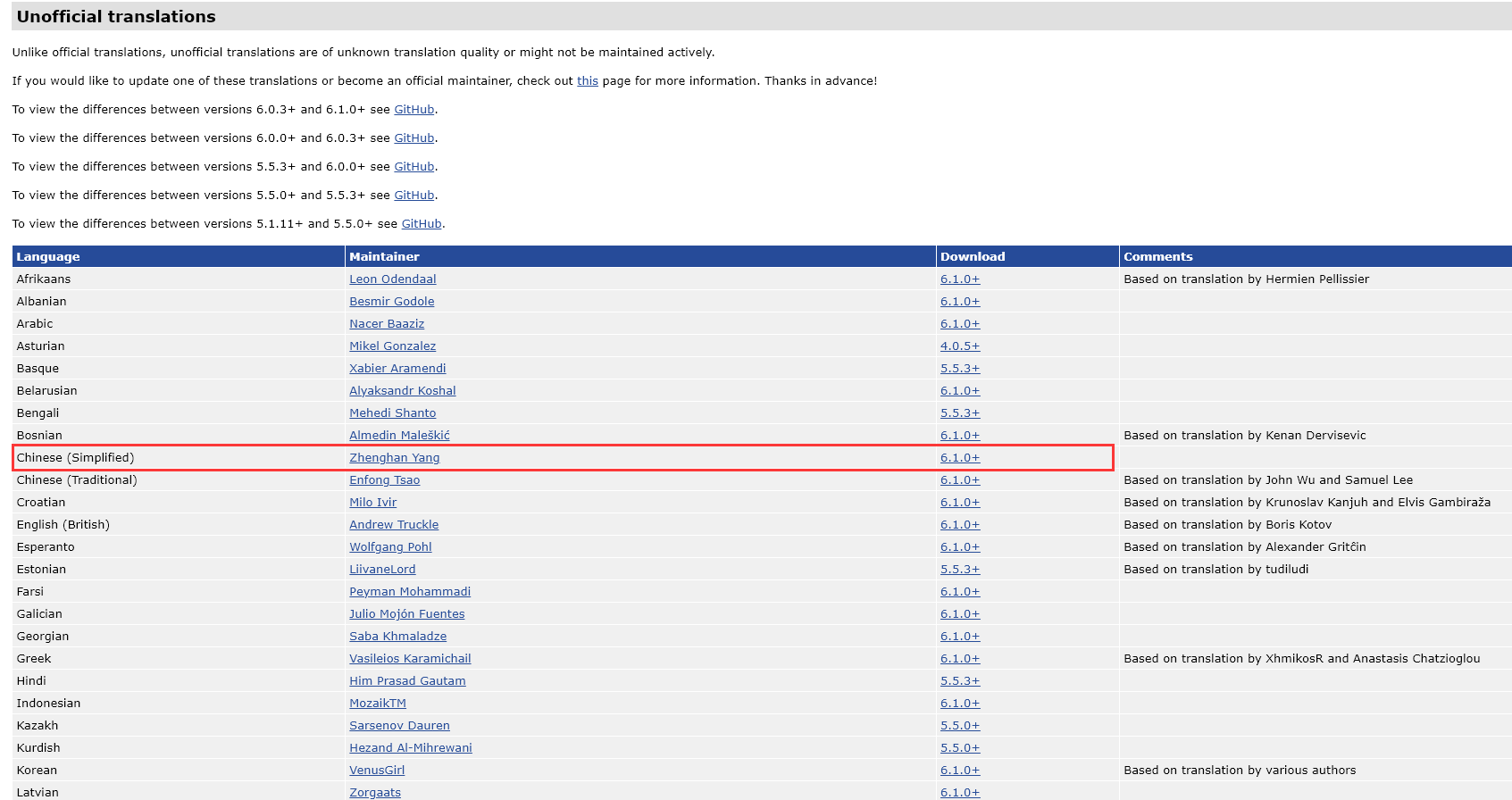
After downloading, you can manually place it into the Languages directory under the Inno Setup installation directory

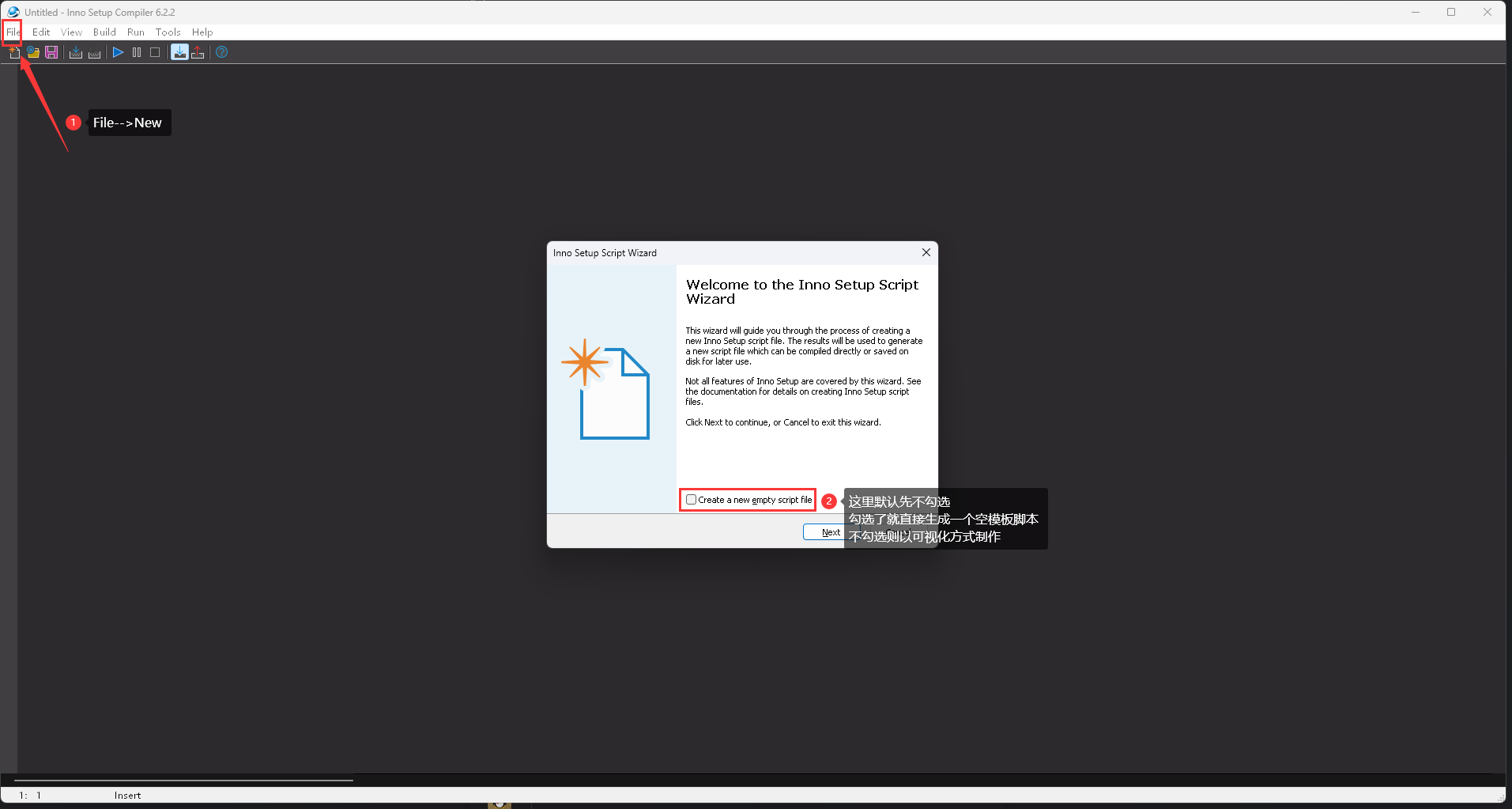
2.2. Create a packaged project

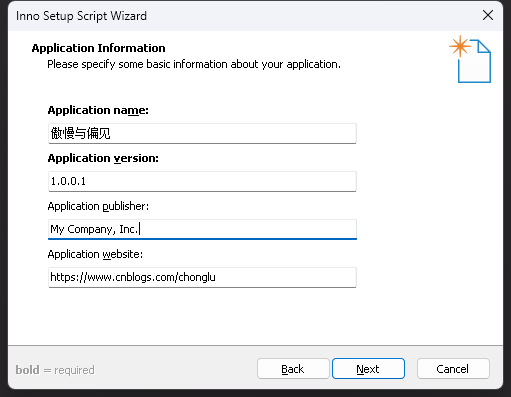
2.3. Fill in the basic application information

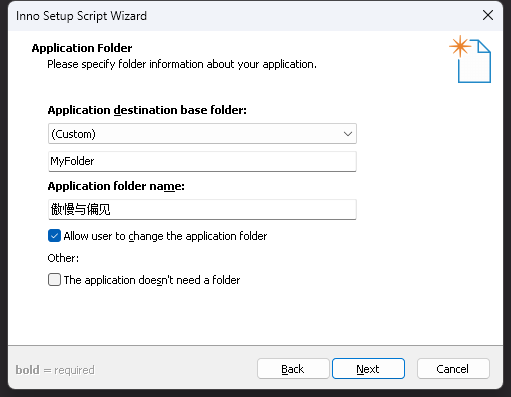
2.4. Fill in the application installation directory

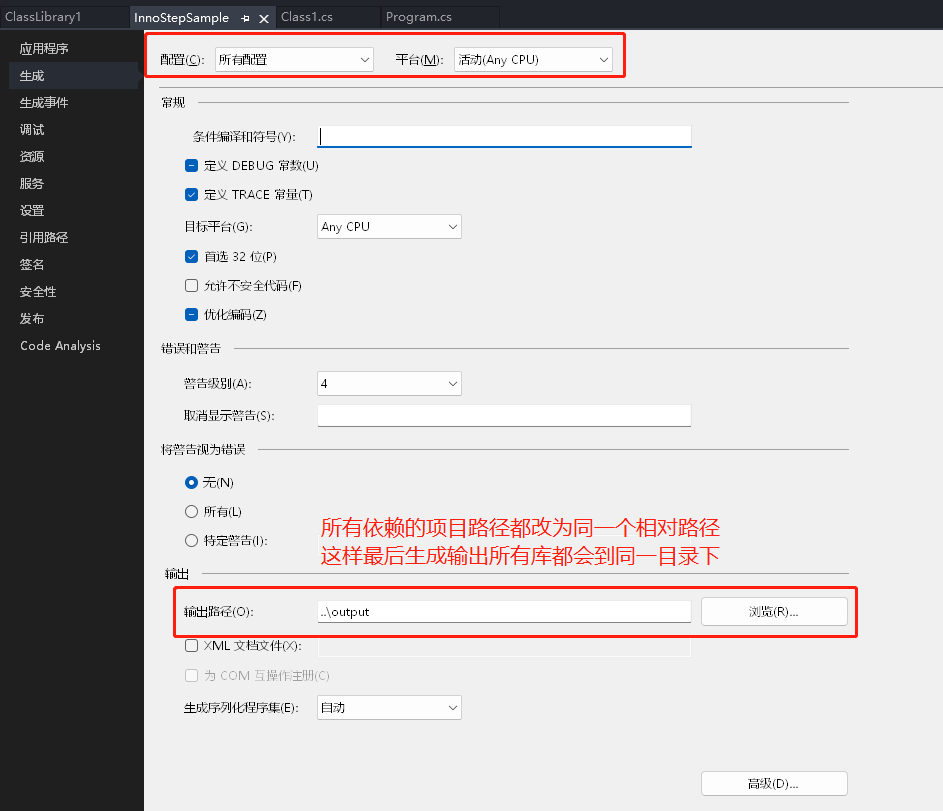
2.5. Right-click the project properties in VS and change the project output path. If multiple projects are changed to the same one

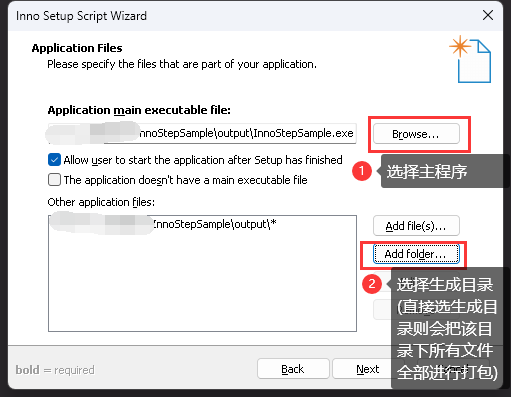
2.6. Select the files that the application needs to package

  • Application main executable file: Application main program

  • Other application files: Projects on which the main program relies or third-party relies. It is recommended to directly select the output directory here

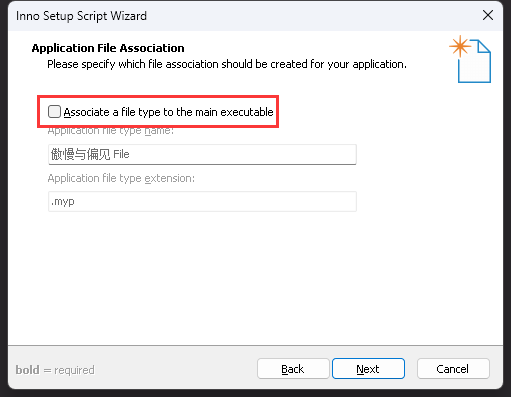
2.7. Application file type association

If your program does not use this function, you generally don't need to check it.

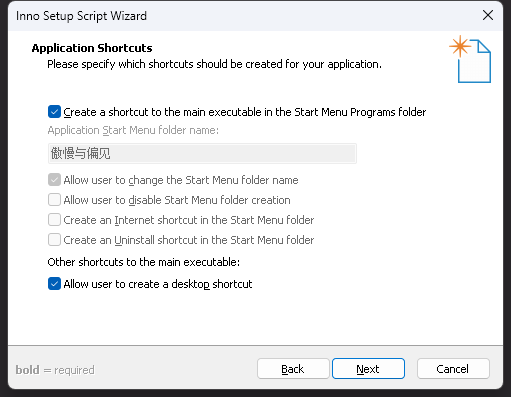
2.8. Application shortcut creation

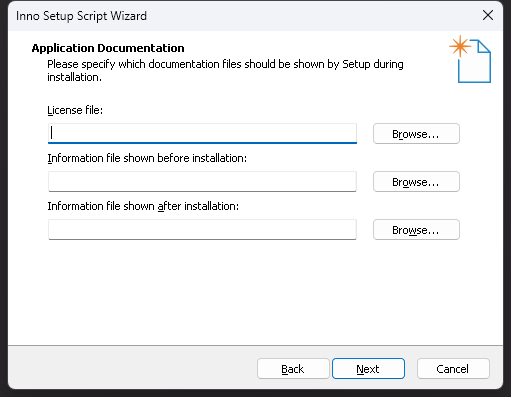
2.9. Application Agreement License File

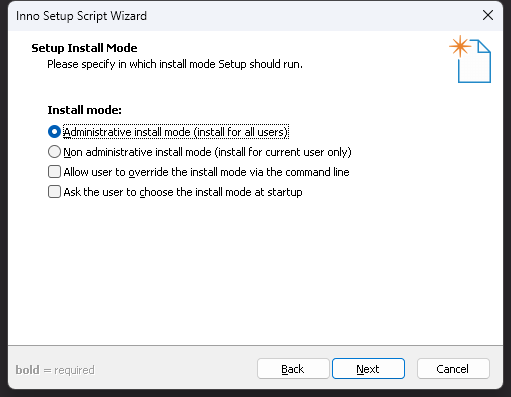
2.10. Installation mode selection

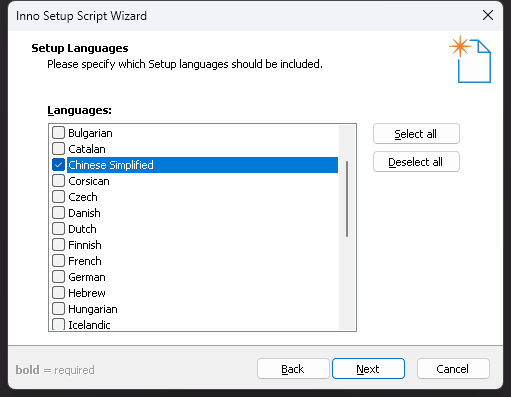
2.11. Installation package language selection

官方默认是不提供中文语言包的,但官网上有第三方用户提供和维护了中文包,有需要的可以在 Inno Setup Translations下载,然后手动放进 Inno Setup 安装目录下的 Languages 下即可,链接前面也提到过。

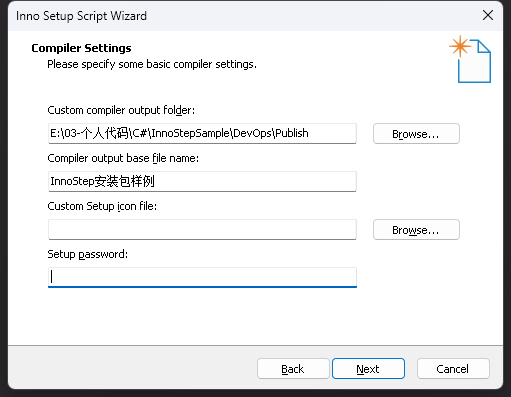
2.12. Installation package settings

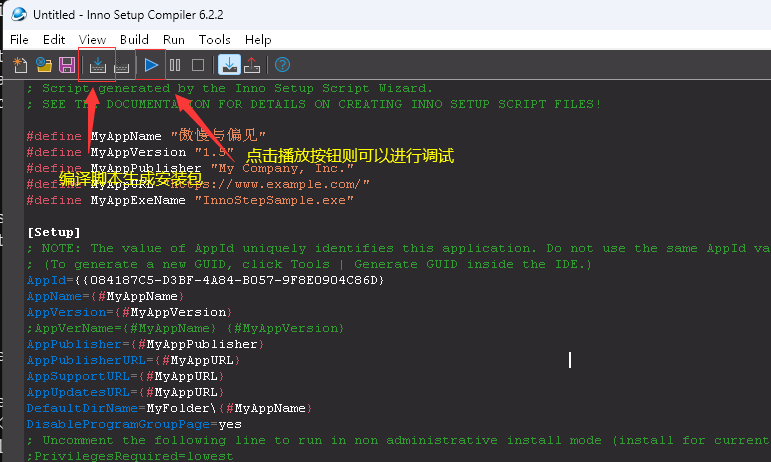
2.13. After setting it up, a script will be generated

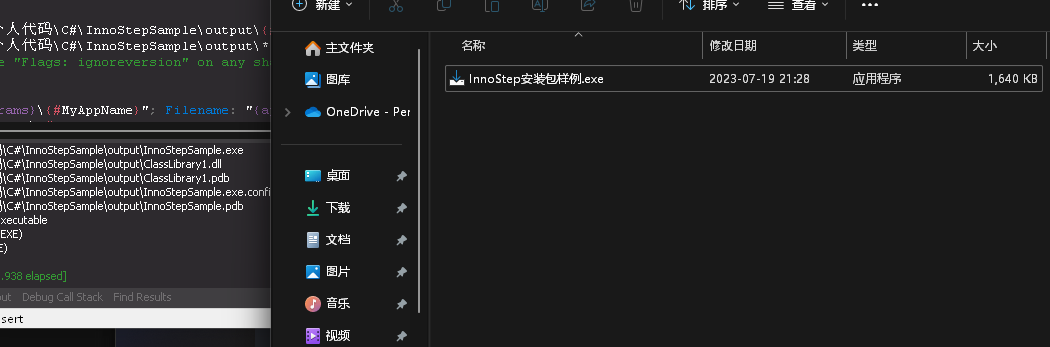
2.14. When compilation is completed, an exe file will be generated in the directory and you can install it by double-clicking

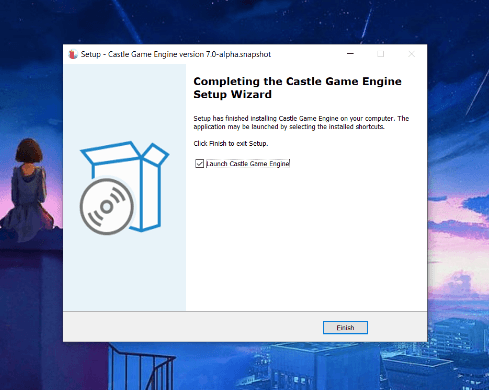
2.15. installation effect

At this point, a simple installation package has been produced.

But... This is not the theme of this article. Obviously, if every time the program changes, you need to go to Inno Setup editor to manually compile and generate the installation package, which is a bit cumbersome.

3. Automate building installation packages

3.1. Modify the script file generated when you just created the installation package

The main thing is to change the absolute path to a relative path and automatically obtain the version of the main program file to avoid errors when other colleagues/computers compile. You can refer to my script

; Script generated by the Inno Setup Script Wizard.
; SEE THE DOCUMENTATION FOR DETAILS ON CREATING INNO SETUP SCRIPT FILES!

#define MyAppName "傲慢与偏见"
#define MyAppPublisher "版权信息"
#define MyAppURL "https://www.cnblogs.com/chonglu"
#define MyAppExeName "Inno SetupSample.exe"
#define MyAppVersion GetVersionNumbersString("..\output\Inno SetupSample.exe")

[Setup]
; #define MyAppVersion GetVersionNumbersString("E:\01-项目代码\YZS\KJT\trunk\KJT\bin\KJT.exe")
; NOTE: The value of AppId uniquely identifies this application. Do not use the same AppId value in installers for other applications.
; (To generate a new GUID, click Tools | Generate GUID inside the IDE.)
AppId={{72EC6D66-B10E-4E61-920F-86852D3FFA91}
AppName={#MyAppName}
AppVersion={#MyAppVersion}
;AppVerName={#MyAppName} {#MyAppVersion}
AppPublisher={#MyAppPublisher}
AppPublisherURL={#MyAppURL}
AppSupportURL={#MyAppURL}
AppUpdatesURL={#MyAppURL}
DefaultDirName={autopf}\KJT
DefaultGroupName={#MyAppName}
DisableProgramGroupPage=yes
; Uncomment the following line to run in non administrative install mode (install for current user only.)
;PrivilegesRequired=lowest
OutputBaseFilename=KJTStep
SetupIconFile=AppICon.ico
Compression=lzma
SolidCompression=yes
WizardStyle=modern
OutputDir=..\Publish

[Languages]
Name: "Chinese"; MessagesFile: "compiler:Languages\中文简体.isl"

[Files]
Source: "..\bin\{#MyAppExeName}"; DestDir: "{app}"; Flags: ignoreversion
Source: "..\bin\*"; DestDir: "{app}"; Flags: ignoreversion recursesubdirs createallsubdirs
; NOTE: Don't use "Flags: ignoreversion" on any shared system files

[Icons]
Name: "{group}\{#MyAppName}"; Filename: "{app}\{#MyAppExeName}"

[Run]
Filename: "{app}\{#MyAppExeName}"; Description: "{cm:LaunchProgram,{#StringChange(MyAppName, '&', '&&')}}"; Flags: nowait postinstall skipifsilent

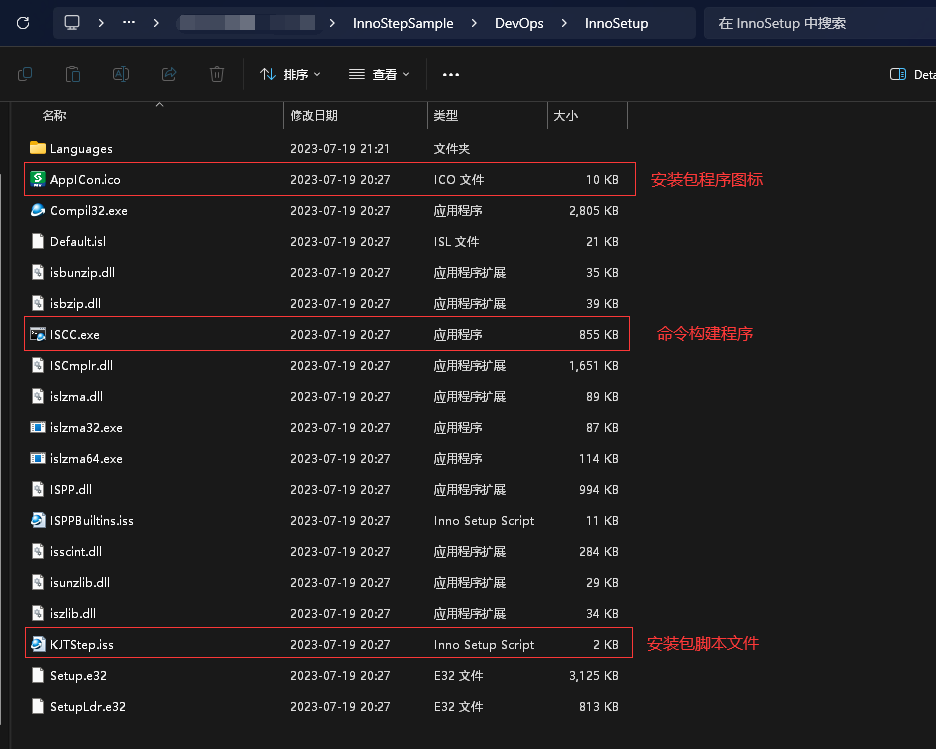
3.2. Copy the installation directory of Inno Setup and place it in the project directory

Some useless things can be deleted and reduced in size. You can refer to the following

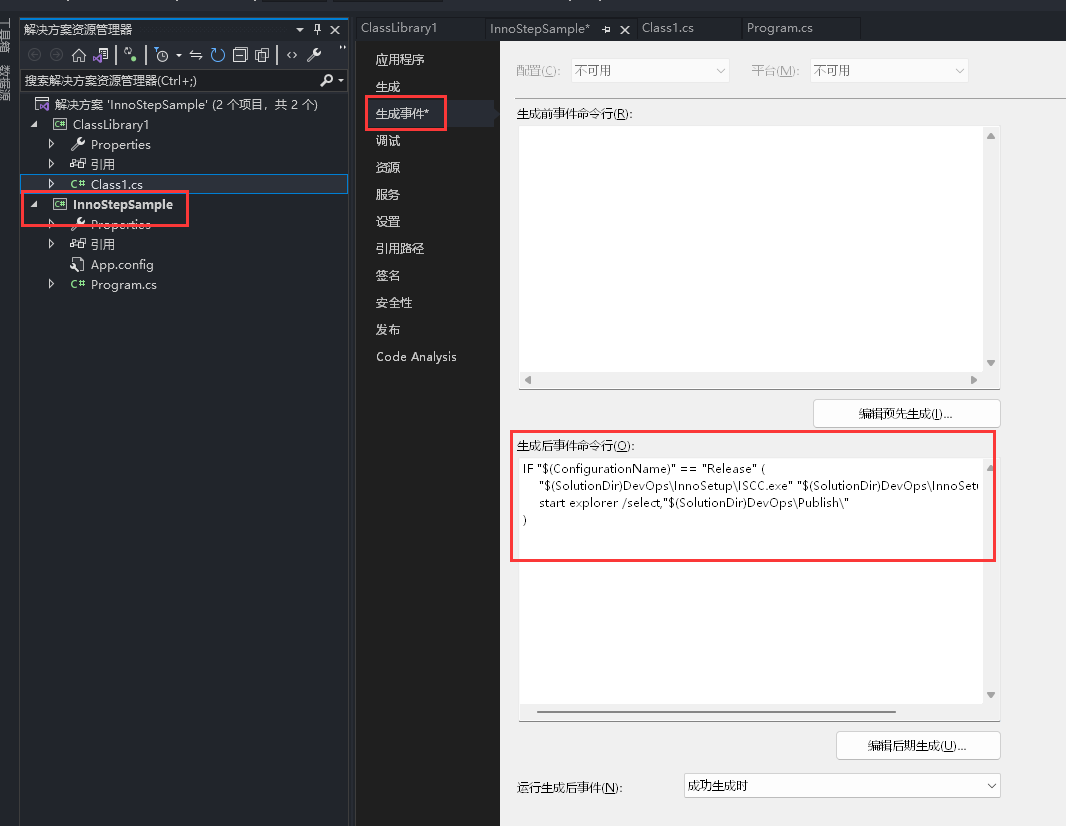
3.3. Set events after the project main program is generated

Reference command:

IF "$(ConfigurationName)" == "Release" (
    "$(SolutionDir)DevOps\InnoSetup\ISCC.exe" "$(SolutionDir)DevOps\InnoSetup\KJTStep.iss"
    start explorer /select,"$(SolutionDir)DevOps\Publish\"
)

In order to prevent it from affecting debugging, you can add a judgment. Only the command will be executed when compiling projects in Release mode. This command means that the latest installation package will be built and compiled by calling the ISCC program under the solution and passing in the installation package script. Finally, the file resource manager opens the installation package directory.

4. effect demonstration

Every time you need to release a new version, switch the solution to Release mode compilation. After F6 Build, the installation package will be automatically generated. Here is just a reminder. You can read more official documents to achieve a more perfect installation package.

Tips: To avoid too slow compilation speed when writing code for debugging, it is best to add Release mode judgment to post-generation events. When there are many projects in the solution, or when the compilation directory relies on too many files, Inno Setup will build a little slow.

5. conclusion

Generation events in Visual Studio are actually a very practical thing. They can automatically perform some things that often require manual operations before and after compilation. For example, post-generation events can also be used to obfuscate code. This article will not expand the details for the time being.

If you encounter mistakes or questions in actual operation, and better suggestions can be exchanged in the comments..

6. Appendix

  • Inno Setup official website: jrsoftware.org/

  • Inno Setup Editor: jrsoftware.org/isdl.php

  • Inno Setup Language Pack: jrsoftware.org/files/istrans/

  • Inno Setup documentation: jrsoftware.org/ishelp/

Keep Exploring

延伸阅读

更多文章
同分类 / 同标签 4/22/2026

Support for. NET by operating system versions (250707 update)

Use virtual machines and test machines to test the support of each version of the operating system for. NET. After installing the operating system, it is passed by measuring the corresponding running time of the installation and being able to run the Stardust Agent.

继续阅读