If you want to execute a simple C#statement and get a run result, we usually need to take a few steps to achieve it:
- Open Visual Studio and create a new console project.
- Write code in Program.cs and save it.
- Click the Run button or F5 to run the program and view the results.
Generally speaking, this does not pose a problem. But if you install various plug-ins for Visual Studio like I did, the startup time for Visual Studio will become very long. When we create a new project, we must specify names and save paths for these temporary codes. If we keep the default names, we may forget the purpose of creating these files in the future.
Using LINQPad can solve the above problems. LINQPad's software package is very small, only about 20 megabytes, and it starts quickly. When using it, just enter the C#statement you want to execute and press F5:

The shortcut key F4 opens the "Query Properties" window. In this window, you can reference everything you need at runtime, including dlls, configuration files, jsons, text files, etc. These referenced files will be copied to the output directory.

At the same time, LINQPad also supports directly referencing NuGet packages into queries:

You can also save the query as a file with the extension.linq to reuse code.
language support
Including "C#Expression", LINQPad supports a total of 4 languages and 10 query types:
- C# Expression
- C# Statement(s)
- C# Program
- VB Expression
- VB Statement(s)
- VB Program
- SQL
- ESQL
- F# Expression
- F# Program
LINQPad automatically selects the correct query type based on the code we type, and most of the time we don't have to worry.
resultant output
使用 Console.WriteLine 等方法输出的控制台内容会直接在 Result 标签页显示:

LINQPad 内置了名为 Dump 的扩展方法用于将对象的值展示出来。该方法对 Object 类型进行了扩展,并提供了多个重载,让我们可以对展示结果进行标记:

除了简单类型,Dump 方法对复杂类型的支持也值得称赞。我们完全可以仅依赖 Dump 方法就能了解到某个对象的全部取值:

甚至可以直接将一个 WinForm 或 WPF 控件 Dump 出来,且支持交互:

Query results can also be exported and currently support three formats: Word, Excel and HTML.
At the bottom left of the query editor is a status indicator, which displays the running status and execution time of the query. This way, when we need to briefly test the efficiency of an algorithm, we don't need to write additional monitoring code.
database integration
LINQPad can be linked to a database through Entity Framework or Entity Framework Core and corresponding database drivers, such as common SQL Server , MySQL , Oracle and even SQLite. You can complete the connection work by using the "Add connection" in the upper right corner of the program:

After configuring the database link, we can select this link and write C#code to access the database:

除了可以通过执行 Dump 方法看到运行结果以外,也可以切换至 SQL 标签页查看执行的 SQL 语句:

If you need to execute SQL statements directly in LINQPad, just set the language to SQL:

chart support
In addition to presenting the result set in a table, LINQPad also supports generating statistical graphs directly from the result set. Histograms, line charts, pie charts, etc. are no longer mentioned and do not require a lot of extra codes:

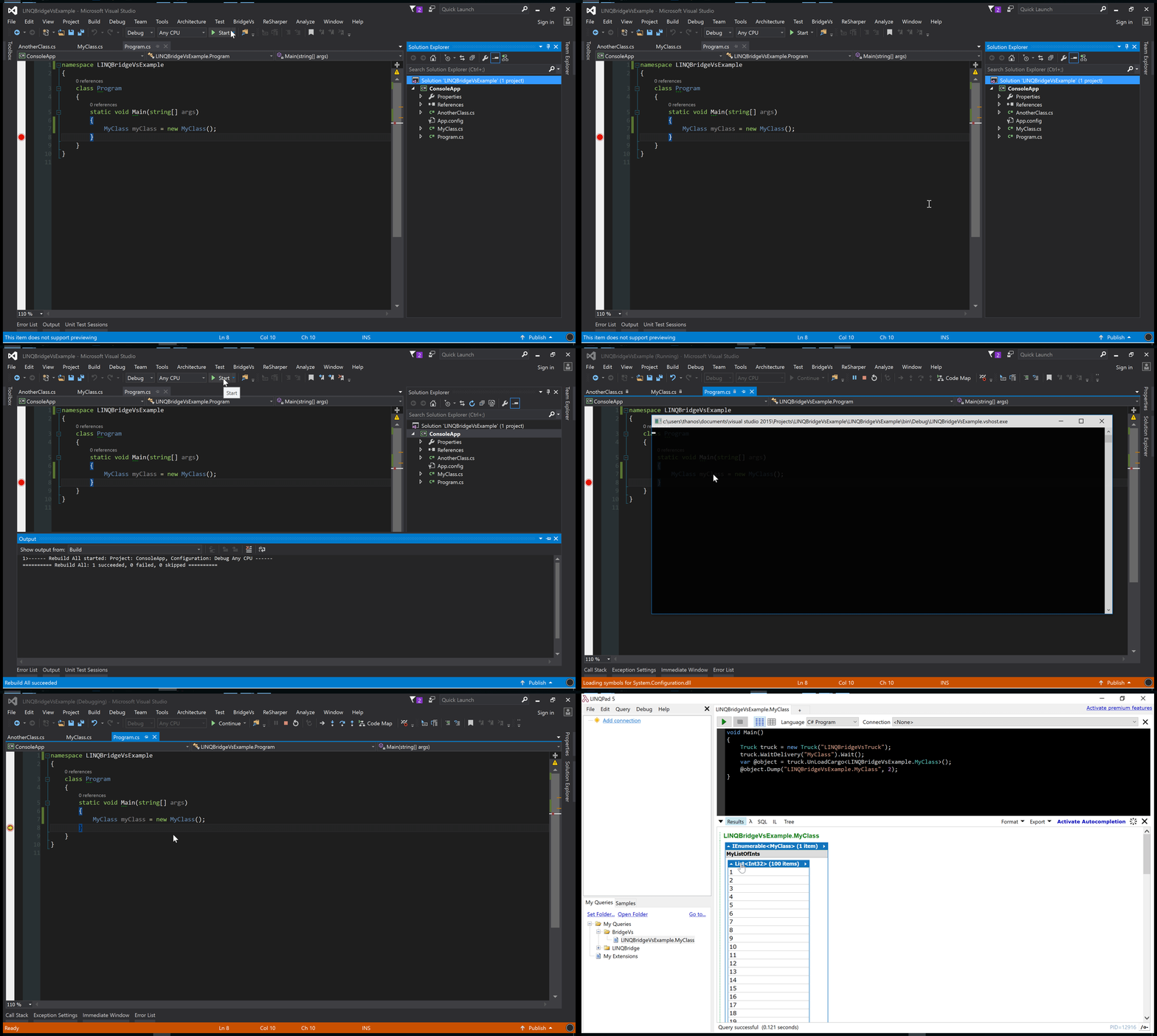
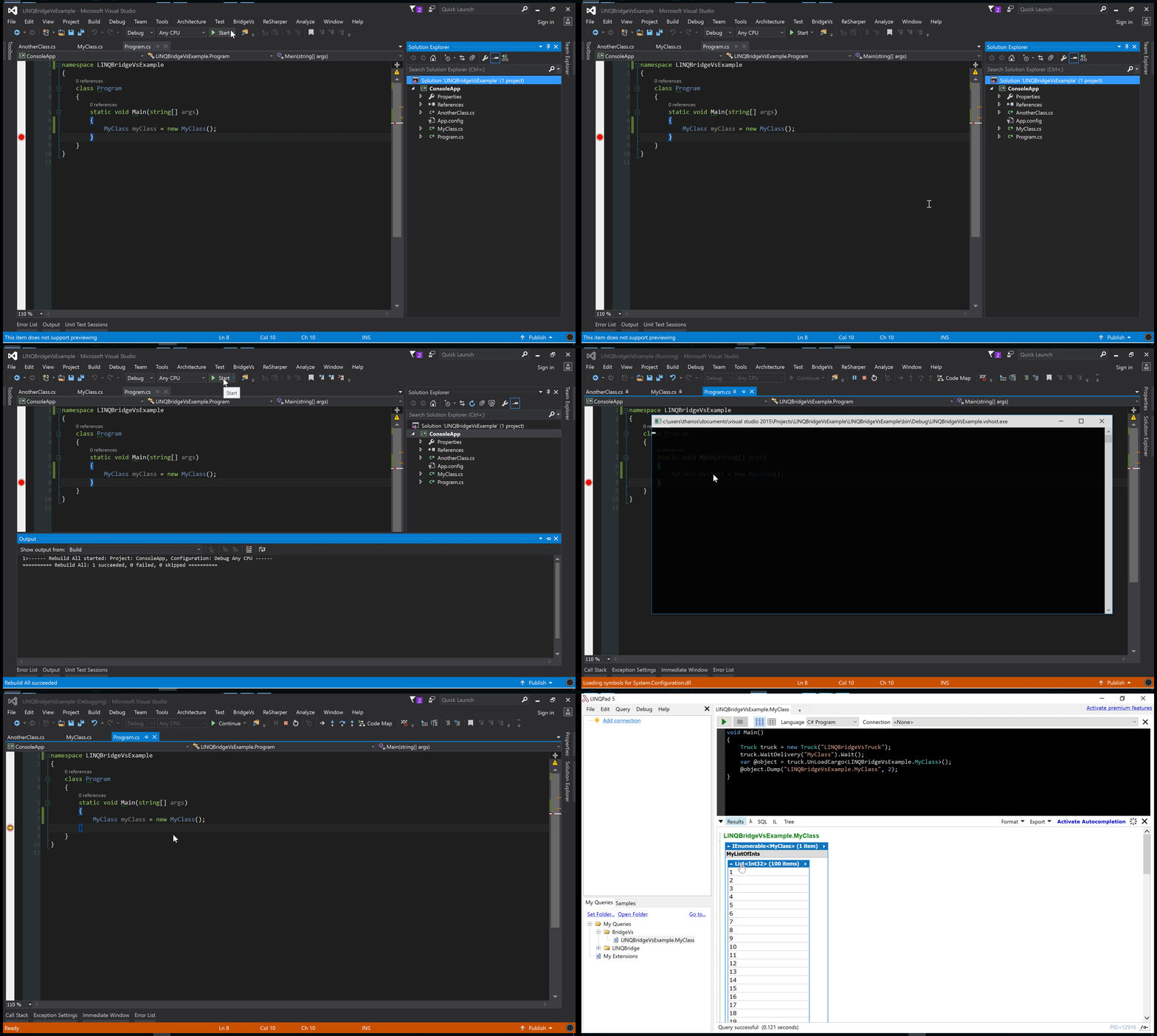
LINQPad's Visual Studio extension LINQBridgeVs
LINQBridgeVs links LINQPad's powerful Dump capabilities to Visual Studio and supports 2012 to 2019 versions:

learn more
This article covers most of the common operations of LINQPad. As a developer tool, LINQPad is not difficult to get started. You can find more resources about LINQPad at https://www.linqpad.net/Resources.aspx
LINQPad itself also carries a large number of sample code. You can see by switching the tab in the lower left corner to the "Samples" tab:

summary
After several months of use, LINQPad has indeed become an indispensable tool in my work. Now, LINQPad has been fixed to the taskbar. In addition to running some test code, it is also used as a data export tool and toolbox. What I like most is its built-in chart generation function. When boring data is displayed in the form of charts, it is not only amazing, but also unspeakable satisfaction.
LINQPad's sales strategy is a buyout system. One purchase is valid for life and can be installed on up to three computers at the same time. The price for advanced users is about 700 yuan, and both LINQPad 5 and LINQPad 6 versions are supported. If it does help you and financial strength permits, then it's okay to buy a genuine license.